


All Document Reader: Word, PDF
4.354.00 Reviews
App Specs
- Version
- 1.4.8-Doc-Solara
- Updated On
- License
- Free
- Downloads
- 1,000,000+
- Developer
- SolaraSoft
- Categories
- Tools
- Platform
- Android
Screenshots
 Analysis by AppCompare
When a document arrives just as I’m away from my desk, I want to know whether my phone can at least help me inspect it without a detour through a laptop. All Document Reader: Word, PDF is a tools app from SolaraSoft for opening common office and text formats in one place. Its appeal is straightforward: fewer moments spent hunting for a separate reader when someone sends a PDF, Word file, spreadsheet, presentation, or plain-text document.
Where a network connection enters the picture
The key practical distinction is between getting a file and reading one. If a document is already on your device, opening it is a different task from retrieving it from email, cloud storage, or a work service; the latter may depend on a working connection and on the service you use. I would plan around that distinction rather than assume every part of a document workflow behaves the same way online and offline.
That matters when a file arrives shortly before a meeting or class. I’d open it while the connection is stable, check that the right document is available on the phone, and avoid leaving the first attempt until I’m boarding a train or entering a building with unreliable reception. This is a simple habit, but it can prevent a reader app from being blamed for a file that was never fully retrieved in the first place.
A pocket reader for practical moments
Picture receiving a presentation and a spreadsheet in a message while walking between appointments. The useful question is not whether a phone can replace a full desk setup; it is whether I can quickly identify the files, read what matters, and decide what needs attention later. Having several document types in one reader is convenient for that kind of quick check, especially when carrying a laptop would be excessive.
I see the strongest fit for students checking shared handouts, employees reviewing documents while away from their computers, and anyone who regularly receives files in mixed formats. It is less compelling if nearly everything you read is a PDF and you already have a preferred PDF app that handles your workflow well. A single-purpose tool can feel simpler when your needs are narrow, while this app’s main draw is breadth.
Making a mixed-format folder less frustrating
A helpful way to use an all-format reader is to treat it as a first-stop viewing tool, not automatically as the final home for every file. When several attachments arrive together, I’d start by checking the file types and opening the one that answers the immediate question. That keeps a quick review from turning into an unnecessary effort to organize or revise every attachment on a small screen.
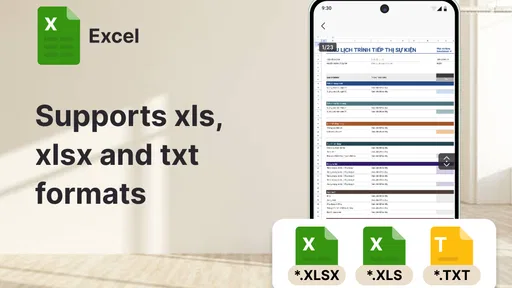
There is also a useful trade-off between convenience and screen space. A spreadsheet may technically be easier to open on a phone than on no device at all, but reading a wide table or comparing many cells is still a job for a larger display. I’d use the mobile view to locate a figure, check a heading, or confirm which sheet matters, then move to a computer for careful analysis when the layout is dense.
Worth Reading Before You Choose

EA SPORTS FC Mobile 26 Is a Bigger Football Game, but It Takes Time

Flipboard Shows What News Apps Must Do Beyond the Feed

Switching to Android Auto Means Rethinking Your Driving Routine

Google Calendar Makes a Crowded Week Easier to Manage

Ludo King Makes the Most of the Minutes Between Plans

Baby Panda World Brings Quick Play to Modern Phones, but Its Game Library Feels Busy
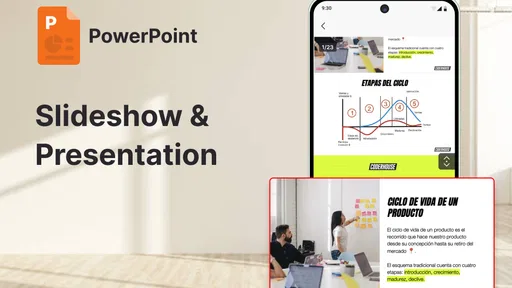
For presentations, the same principle applies: a phone can help me review the sequence and content while I’m out, but detailed slide editing is harder when the whole page is reduced to a small screen. For a Word document, a short correction may be manageable on the go, while extensive rewriting is usually more comfortable with a keyboard. The value is being able to respond to the moment, not pretending that every document task is equally pleasant on mobile.
Choosing the right tool for the job
Compared with using separate readers for PDFs, spreadsheets, presentations, and text files, an all-in-one option can reduce app switching and make unfamiliar attachments less of a hassle. Compared with opening everything in a desktop office suite, it is more suited to quick access than long, precision-heavy sessions. I would keep a specialized editor in the mix if my work depends on advanced formatting or exact layout control; broad format coverage does not by itself tell me how deep each editing workflow goes.
Before relying on any mobile reader for an important document, I’d check the file on the device and make sure its contents are legible in the format I need. This is especially sensible for forms, complex tables, or slides where spacing can affect meaning. If a document must be presented exactly as designed, a quick phone preview is useful as a check, but I would not make it the only review step.
Another practical question is whether a reader can replace a cloud-storage app. I wouldn’t treat those as interchangeable: a reader’s role is to help with documents, while the place where a file is stored or shared may still be a separate service. Keeping that distinction in mind makes it easier to know where to look if a document is missing, rather than assuming the reading app is also responsible for every part of delivery and organization.
All-in-One Document Solution
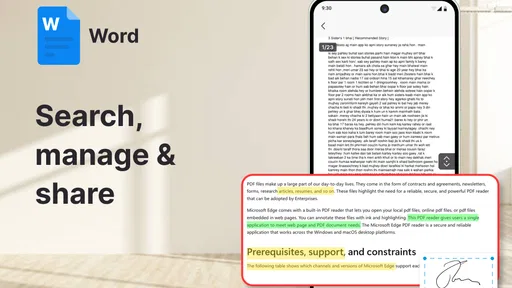
Have you ever received a file that wasn’t in the format you were expecting? With All Document Reader: Word, PDF, that’s no longer a problem. This app handles everything from PDFs to Word documents, Excel spreadsheets, and even PowerPoint presentations. The variety of supported formats is impressive, making it super handy for both work and personal use.
User-Friendly Interface
The first thing that struck me was the app’s intuitive interface. It’s clean, straightforward, and easy to navigate. You don’t need to be tech-savvy to figure it out, which is a huge plus. Within seconds, I was opening and viewing files without any hiccups.
Seamless Viewing and Editing
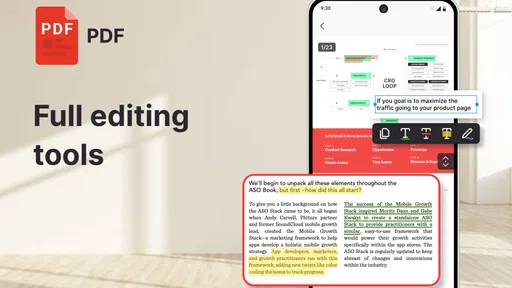
Not only does the app allow you to open different file types, but it also lets you edit them. Need to make a quick change on a Word document or tweak a slide in a presentation? You can do that on the go, without needing to transfer files back to your computer. It’s all about convenience and efficiency, and this app nails it.
Offline Access
One of the standout features for me is offline access. There have been times when I’ve needed to view documents without an internet connection, and this app doesn’t disappoint. You can download files to your device and access them later, no internet required. This feature is a lifesaver when you’re traveling or in areas with spotty Wi-Fi.
Security Features
In today’s digital age, security is paramount. The developers have smartly integrated features like password protection for documents. This means you can keep sensitive information safe from prying eyes, which gives me peace of mind when handling confidential files.
Why It Stands Out
What sets All Document Reader: Word, PDF apart from other document readers? It’s the combination of versatility, user-friendliness, and additional features like editing and security. It’s not just about opening files; it’s about making the entire process seamless and stress-free.
What to expect before installing
The app is free to install and is rated for Everyone. It has an average rating of 4.3 from around 4.1 thousand ratings, with over a million installs. The current version is 1.4.8-Doc-Solara, and it requires Android 8.0 or later. I’d also keep the optional purchase range in mind: in-app items are listed at around $20 to $30 each, so check what is included before paying rather than assuming every capability is part of the free experience.
That pricing detail is most relevant if you only need occasional viewing. For a quick look at a shared file, I’d first see whether the free experience covers the task I actually have. If I needed a dependable tool for frequent document work, I’d weigh any paid option against how often I use it and whether it improves a workflow I genuinely rely on. The developer is SolaraSoft, and the app’s role remains clear: a mobile tools option for handling a mix of documents.
When I would choose something else
I would skip it if I needed a full desktop-style workspace on my phone, relied on exact page layout for professional publishing, or mostly worked with a single format already served well by another app. For sensitive business material, I would also follow the rules of my organization rather than assume a reader’s security features make every file suitable for personal-device handling. A password-protected document is not a substitute for careful decisions about where the file is stored or shared.
For an everyday reader, the best approach is modest: use the app to reach a document quickly, make small edits when that is comfortable, and switch to a larger screen when accuracy or extensive work matters. That boundary helps the app feel useful instead of disappointing. It also gives me a practical answer to the question of whether it can replace other tools: it can reduce the need to install a reader for every format, but it need not replace a dedicated editor, a file-storage service, or a desktop suite.
Final Thoughts
If you’re on the hunt for a reliable app that can handle all your document needs, this is it. It’s perfect for professionals, students, and anyone who regularly deals with a variety of document formats. The convenience it offers is unparalleled, and it’s become a staple on my phone.
So, next time you’re wrestling with different file types, give All Document Reader: Word, PDF a shot. It’s got your back, and you might just wonder how you ever managed without it!
Pros
- Supports multiple file formats seamlessly.
- User-friendly interface with intuitive navigation.
- Quick loading times for large documents.
- Integrated cloud storage options for easy access.
- Offline mode available for reading without internet.
Cons
- Ads can be intrusive during usage.
- Limited editing capabilities for documents.
- Occasional lag when opening very large files.
- Requires in-app purchases for advanced features.
- Some formats may lose formatting integrity.
FAQs for All Document Reader: Word, PDF
What file formats does All Document Reader support?
All Document Reader is designed to handle a wide array of file formats, including PDF, Word, Excel, PowerPoint, and text files. It ensures seamless compatibility with all your document needs, allowing you to view and manage various types of files directly from your Android or iOS device.
Can I edit documents using All Document Reader?
While All Document Reader primarily focuses on viewing documents, it does offer basic annotation features for PDFs. However, it is not equipped with full editing capabilities like some dedicated document editors. For extensive editing, you might need to use other apps that specialize in document creation and modification.
Is All Document Reader free to use?
All Document Reader is available for free with essential features. However, there may be in-app purchases or advertisements that allow users to access premium features or an ad-free experience. It's advisable to check the app store for details on any potential costs or subscription models.
Does All Document Reader work offline?
Yes, All Document Reader allows you to access and view documents offline once they are downloaded to your device. This makes it convenient for users who need to access documents without a constant internet connection, ensuring your productivity is uninterrupted.
How secure is my data with All Document Reader?
Data security is a priority with All Document Reader. The app does not store your documents on external servers, ensuring they remain on your device. However, always ensure your device is secure and consider additional app permissions or settings that might affect privacy and security.


